
MIDI sequencer for iPad · AUv3
Nine ways to sequence.
One iPad.
Oxidzr Sequencer drives your synths, drum machines and apps with eight sequencers at once, each in any of nine modes: from a simple step line to probability, polymetric lanes and melodies that evolve every time round.
Makes no sound of its own: it plays other instruments over MIDI. Standalone app and AUv3 MIDI plugin, for iPad with iPadOS 16 or later.
Video
See it in action.
Two minutes: how it fits in with your instruments, then every mode in turn.
Plays from YouTube, and only once you press play. Watch on YouTube
Three ways in
From an idea to a part you can play.
Generate something, keep what you like, shape it by hand, and perform it with the instruments you already have.
-
Find a melody, then make it yours
- Let Stochastic generate from the odds you set.
- Capture the phrase you liked into a loop.
- Copy it to a Mono sequencer and edit it by hand.
-
Keep bass and harmony together
- Write a progression on a Chord sequencer.
- Set a Mono bass line to Follow it.
- Every bass note lands on a note of the chord.
-
Build patterns that keep changing
- Give Matriceal lanes different lengths.
- Hear them recombine for bars on end, in key.
- Arrange patterns into a chain of up to 32 links.
Nine modes
Every sequencer, its own way of thinking.
Each of the eight sequencers can run any mode, so a drum lane, a chord progression, a generative line and a looped MIDI file can all play together, in time and in key.
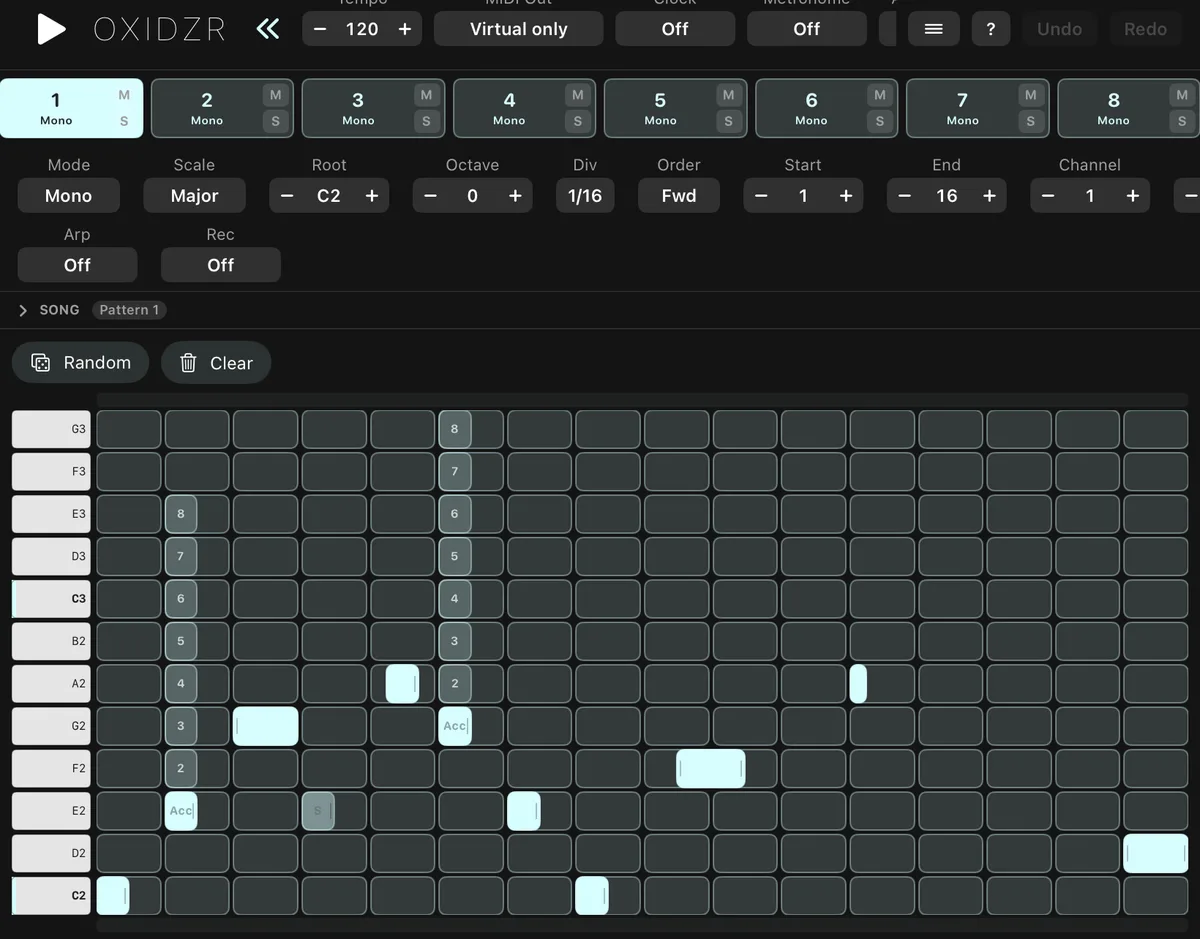
Mono
single-line melodies
One note per step: bass lines, leads and riffs, with real legato ties.
Poly
chords, note by note
Stack up to seven notes on a step for clusters and voicings.
Chord
chords in key
Place a root and get a chord in key: triads to 9ths, inversions, strum.
Multitrack
drum lanes
Eight drum lanes, each with its own channel, speed, length and Euclidean rhythms.
Stochastic
probability generator
Weight the notes, octaves and lengths, and let it invent a line. Capture what you like.
Matriceal
independent sequencing lanes
Pitch, rhythm, velocity and more on separate lanes of different lengths and speeds.
Domino
separate rhythm and melody
A rhythm layer and a note layer that run apart, so melodies drift over the beat.
Saga
stage sequencing
Stages that last as long as you like, with gate types, glide and random range.
MIDI Player
loop MIDI files
Load a MIDI file and loop any part of it alongside everything else.
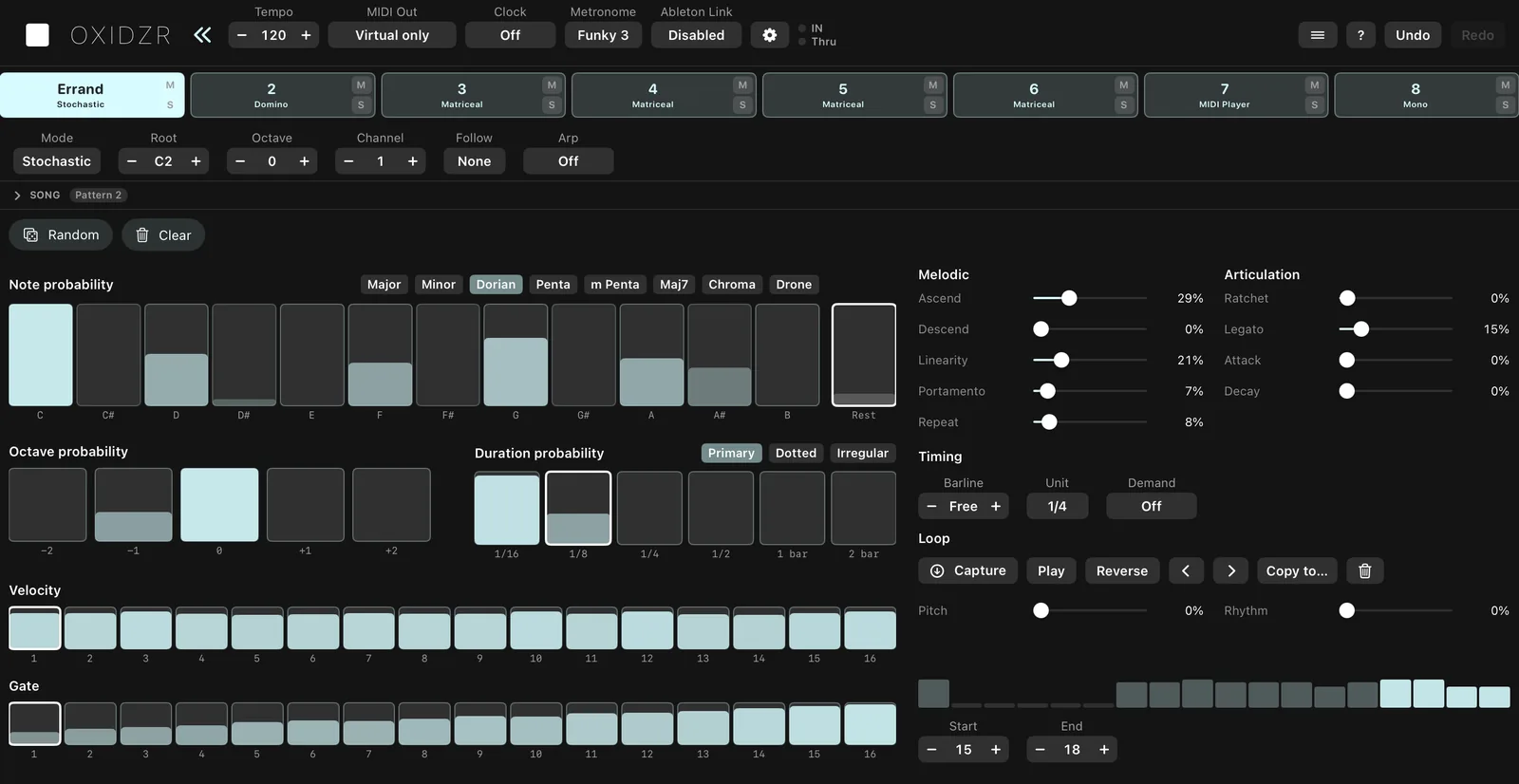
Stochastic
Shape the odds, not the notes.
Set how likely each note, octave and length is, how often it rests, how melodic or jumpy it should be, and how it accents. Then let it play.
When it plays something you love, capture it into a loop, let pitch and rhythm mutate it slowly, or copy it to a Mono sequencer to edit by hand.
Matriceal
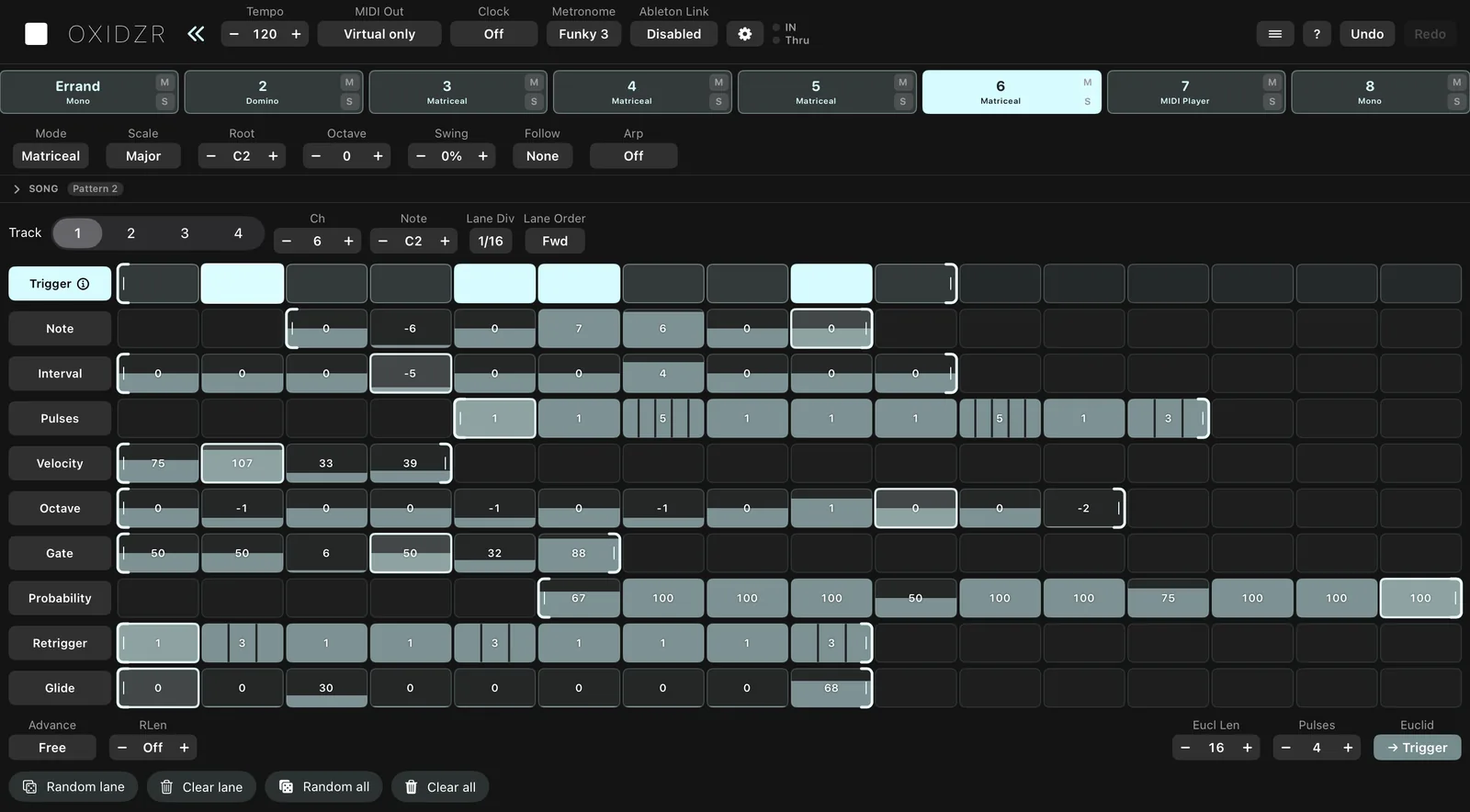
Lanes that never quite line up.
Rhythm, note, interval, pulses, velocity, octave, gate, probability, retrigger and glide each live on their own lane, each with its own length, speed and order.
A 16-step rhythm against a 5-step melody and a 3-step accent pattern keeps recombining into lines that take a long time to repeat, and still stay in key.
Domino
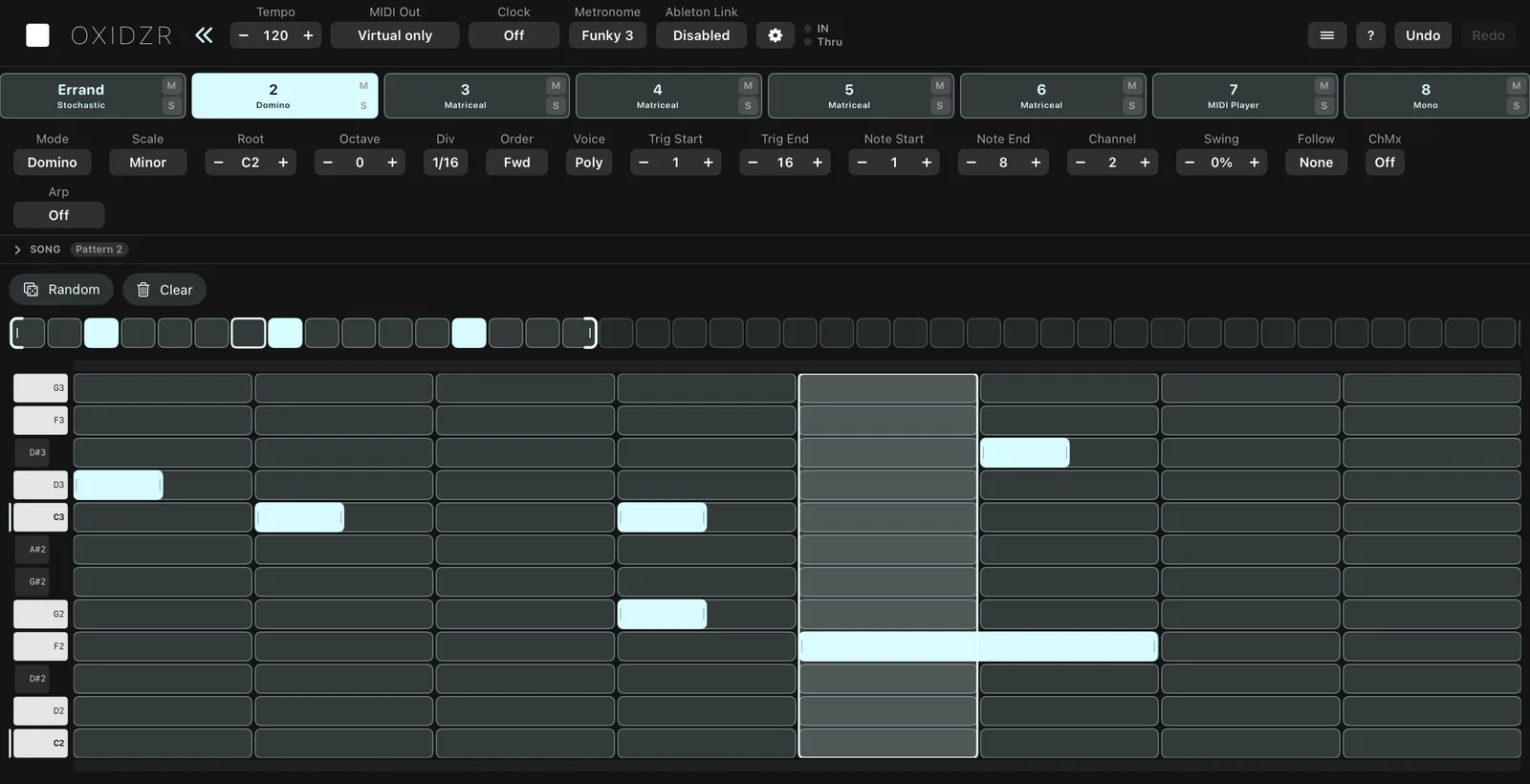
Rhythm here, melody there.
Domino keeps triggers and notes on separate layers. Each trigger plays the next note, so a 7-note melody over a 16-step rhythm shifts against the beat every bar.
Give triggers repeats and chance, drag brackets to change either layer's length, and play it mono or as chords.
And more
Made for playing, not just programming.
Notes that evolve
Give any note an accumulator and it climbs, falls or bounces each time it plays: by scale step, semitone or octave, within the bounds you set. Faded ghost notes show where it goes next.
Eight modulation lanes
Every sequencer has eight lanes of their own length and speed. Send them out as MIDI CC with rise and fall slew, or point them back at the sequencer: transpose, velocity, gate, probability, swing.
Patterns, chains, performance
Eight pattern slots that switch on the bar line, a chain of up to 32 links for whole arrangements, and a momentary loop to hold any 1 to 16 steps while you play.
Play it from a keyboard
Hold keys and an arpeggiator takes over, then hands back to the sequence when you let go. Step-record notes and chords with the velocity you played. MIDI thru to hear yourself.
Fits your setup
As an app, other apps see it as the MIDI source "Oxidzr Sequencer", and it can also send to one USB, Bluetooth or network MIDI destination. As an AUv3 MIDI plugin, a host like AUM routes it. It sends MIDI clock and joins Ableton Link.
Help that knows the app
Ask a question in your own words and the built-in help answers from the full guide, right on the iPad with Apple Intelligence (iPadOS 26). Nothing you ask leaves the device.
Before you start
What it needs, what it works with.
- Does it make sound?
- No. Oxidzr sends MIDI to your synth and drum apps or hardware. Its only sounds are the standalone app’s metronome.
- What do I need?
- An iPad with iPadOS 16 or later, and something that plays MIDI. Help’s written answers also need Apple Intelligence (iPadOS 26).
- App or plugin?
- Both. The app has its own transport, tempo, MIDI clock and Link; the AUv3 plugin follows its host, such as AUM.
- MIDI clock?
- It sends MIDI clock, Start and Stop. It doesn’t follow incoming clock; use Ableton Link to share a tempo.
Ready when your synths are.
Oxidzr Sequencer is on the App Store for iPad. One purchase unlocks the app and its AUv3 plugin, and the guide covers every mode and control.